fine learning experience, but this thing does nothing you’d use your TV for.
the cheapest and best solution is to grab a busted-up laptop from your marketplace. broken screens, keyboards, missing batteries, whatever, you won’t use none of those things. make sure it’s skylake (6th gen) or newer for hardware video acceleration and on-board LAN and HDMI, the rest is unimportant. you’ll have an insanely powerful and power-efficient platform that you control 100% of and can tweak to your heart’s desire, expand, fix, etc. I’d be surprised if you can’t find several for under $40, power brick included.
my go-to setup is auto-launching jellyfin player in TV mode with macast running in the background (DLNA sink you can send youtube videos and the like). since you’ll have computing power to spare, this can also be a server, whatever you desire.
this used to be a job for raspberries, but them things are insanely expensive now and necessitate ever more expensive shit. please don’t even joke about letting noname android boxes loose on your LAN.
I found one of these at a thrift store, sealed. Just used input remapper to tell it what to do. You can even assign mouse functionality. I use it all the time.
Channel up/down switches browser tabs. Green windows button switches applications. Button for “F” since that’s pretty much universally full-screen. I think there are like, six buttons left I haven’t assigned.
bluetooth remote controls, I run a NOCTUS. apple IR ones (the little white ones from the iPod days) with IR receiver out of a defunct Macbook (those are USB). game controllers, any kind.
Jellyfin player’s UI in TV mode reacts only to up/down/left/right and enter and escape. you can use InputRemapper if your weapon of choice isn’t recognized. also, jellyfin android apps connect to the player directly and you can control it from there.


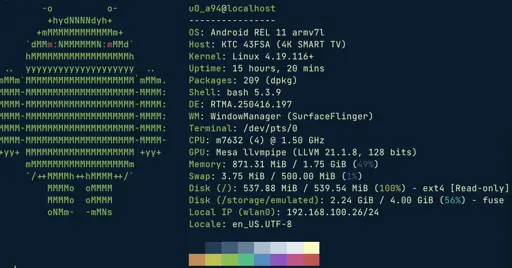
fine learning experience, but this thing does nothing you’d use your TV for.
the cheapest and best solution is to grab a busted-up laptop from your marketplace. broken screens, keyboards, missing batteries, whatever, you won’t use none of those things. make sure it’s skylake (6th gen) or newer for hardware video acceleration and on-board LAN and HDMI, the rest is unimportant. you’ll have an insanely powerful and power-efficient platform that you control 100% of and can tweak to your heart’s desire, expand, fix, etc. I’d be surprised if you can’t find several for under $40, power brick included.
my go-to setup is auto-launching jellyfin player in TV mode with macast running in the background (DLNA sink you can send youtube videos and the like). since you’ll have computing power to spare, this can also be a server, whatever you desire.
this used to be a job for raspberries, but them things are insanely expensive now and necessitate ever more expensive shit. please don’t even joke about letting noname android boxes loose on your LAN.
But, what about remote controls?
I found one of these at a thrift store, sealed. Just used input remapper to tell it what to do. You can even assign mouse functionality. I use it all the time.
Channel up/down switches browser tabs. Green windows button switches applications. Button for “F” since that’s pretty much universally full-screen. I think there are like, six buttons left I haven’t assigned.
bluetooth remote controls, I run a NOCTUS. apple IR ones (the little white ones from the iPod days) with IR receiver out of a defunct Macbook (those are USB). game controllers, any kind.
Jellyfin player’s UI in TV mode reacts only to up/down/left/right and enter and escape. you can use InputRemapper if your weapon of choice isn’t recognized. also, jellyfin android apps connect to the player directly and you can control it from there.
I have a little USB keyboard with a touchpad that’s about the size of a remote control. It works well.
There are air mice that you can buy with keyboards on it or a keyboard trackpad combo.
I use this one with my htpc: https://www.amazon.com/gp/aw/d/B06XHF7DNQ