

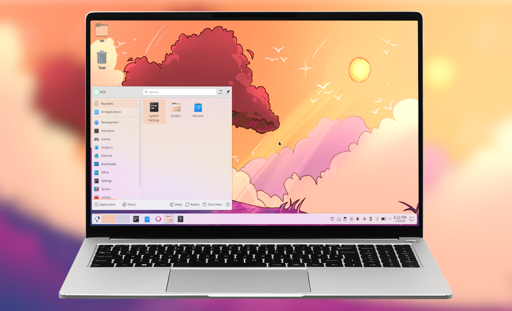
The investment will be used to strengthen the structural reliability and security of KDE’s core infrastructure, including Plasma, KDE Linux, and the frameworks underlying its communication services.
The investment will be used to strengthen the structural reliability and security of KDE’s core infrastructure, including Plasma, KDE Linux, and the frameworks underlying its communication services.
KDE is the only remaining “heavyweight” desktop environment that treats its users like adults
Im curious what makes you say this?
I switched to KDE a couple months ago after updating to ubuntu 25.10 and finding out gnome is forcing wayland going forward, but most of my daily used applications dont work on wayland at all. KDE will atleast still support X11 for another couple years.
I really wish I could go back to gnome as I just really don’t like how little KDE has thought about multi monitors with its bottom panels/task managers.
I’m not sure I follow your gripe about multi monitor handling. You can add completely independently customized toolbars and set up the task manager to show icons for windows just on that screen or on all screens.
I daily drove gnome for a few months, but it was back in like 2014. What features make it better for multi monitor setups?
That is my gripe haha. I don’t want independent bars, I have five monitors and every little change has to be done four more times and it’s infuriating lol. I want to be able to sync them like I can with dash to panel on gnome, but KDE handles it in such an odd way that it’s even hard to script cloning the task bar changes to other monitors.
The way gnome is built around extensions makes it very likely that if you have a pain point, someone smart enough to make an extension to fix it probably did too. I was able to make a very comfortable experience with it.
I also really miss ArcMenu :( I tried so many KDE menu themes and they are just so janky
Ohhhh okay, I suppose that’s fair enough lol. I hate having the same taskbars on every screen, so it makes sense that this behavior wouldn’t have really been noticed. I’m really surprised that there isn’t a way to mirror taskbar setups, til.
Yeah im originally a windows boy lol. I grew up with it, and now I just cannot stand not being able to see everything on all monitors. It’s one of the major reasons I haven’t been able to get used to virtual workspaces / virtual desktops. Something about a window being hidden off into the void until I switch over to it just doesn’t work for me
Yeah, that totally makes sense. I also was a windows boy, but I got annoyed by having every single app showing on every window all the time, since i sometimes have multiple of the same application open across different screens. I also really like having my main screen be the only one with a system tray, clock, and launcher, with the other taskbars purely being devoted to that screen’s tasks.
It’s always so interesting to see the different ways that people like to work.
My way of doing things is probably built on top of having a not very great memory and focus issues, so its actually difficult for me to operate without visual knowledge of an app being open still. That is also one reason it took me so long to make the switch to linux in the first place, GUIs are just so much easier than memorizing commands for me. More of a pattern learner than memorizing words or commands.
Yeah, that’s totally fair. Maybe I should mess with gnome again and see what customizations are available now, that’s always been the biggest draw to kde for me. And the desktop widgets are fun.
this right here is what drives me crazy about Kde. I prefer it over everything else, but the lack of a simple toggle button to make it so the same configuration goes on every monitor makes no sense to me, it /shouldn’t/ even be that difficult to implement as well, the existing framework already exists it’s just per monitor.
Once upon a time you could symlink the config to each other but idk if that still is feasible
Gnome has changed since 2014. Just for your information.
Lol I figured. I took it for a brief spin again about a year ago, but not long enough to form a super informed opinion about it. I was looking to discuss with the other guy, which is what happened. I appreciate your update.
Seriously speaking, while Linux has tremendous issues with user interfaces and experiences about them, I don’t believe Gnome is the worst here. In my opinion it’s rather the opposite. I don’t like KDE for its too much of everything, but otherwise it’s pretty good. And I can see myself using it. I guess to enjoy Gnome you have to use it at least long enough to actually get it. I can believe it’s not everyone’s cup of tea. But come on, most times I’m terrified by what these folks actually like. I use sway wm, but some kind of Xfce / Cinnamon and alike are just in some ‘Windows 3.1 nostalgia’ department in my book.
Tell me why someone should migrate to a DE with steep learning curve when this person is already pretty productive with a “Windows 3.1 nostalgia” DE.
That’s the beauty of open source software: you don’t have to! But tell me why would a newcomer want to have either ‘hello from 80s’ interface or a powerful indeed interface but with a gazillion of bells and switches? That’s where Gnome shines. I can recommend it to anyone who is new. A non-tech friend got it with no training at all. He just said it’s like a tablet. Which is not a bad thing, actually. It’s simple enough for a newcomer to learn quickly. But also powerful enough for someone with 20 years of Linux experience to use daily.
Yes, it is. But let’s agree to disagree. My beef is with Gnome, not its users.
This is exactly why I use and recommend Gnome. Less fiddling around and it does powerful stuff for me, and for others it is quick to learn and its simplicity makes it hard(er) to get lost in the details.
I suppose so, but xfce and cinnamon do excel in use cases where the graphical polish of gnome and kde are either unnecessary or are too resource intensive. For old devices or servers where you want a desktop, they both work really effectively while using pretty much the bare minimum.
Like most things involving Linux, it’s more about options and flexibility than making a desktop that works in all use cases. There are actually quite a few things I like about gnome, and I wouldn’t mind using it, I just like being given a million options to tinker with lol.
I may look like someone who don’t like them (and I actually do not like them), but when given a bit of a thought to it, I don’t mind anyone using anything. I just don’t like it when these are recommended to the newcomers. But since I don’t use them, I may be very wrong here, they could advance significantly since the last time I used them. Personally, however, I prefer simpler things like Sway on a low-powered machines. It works really well, the last two devices I tried it with were Windows tablets of 10+ years ago, and it works pretty well. I assume these two would also do well though.
i would also like to know what you mean. i daily both gnome and kde, gnome is by far the worse performer when it comes to multi monitor stuff. it’s more of a power user tablet interface, with great gesture and multitouch support. kde meanwhile just lets you put anything anywhere.
My issue is when editing a panel there is no way to sync that change to all your other panels. I have five monitors and any new change (pin new app, hide something from tray, appearance change, trying new menu theme) needs to be manually done to every other panel too. It’s alot of effort when you don’t even know if you like the change yet.
is the “clone panel” button in panel settings not enough? gnome doesn’t even allow miltiple panels.
It does certainly help, just not great.
And yes gnome does, because it is built around an extension ecosystem. You can’t multi monitor their default dash, but you certainly can use the dash to panel extension just fine on multiple monitors. Due to extensions, gnome is just way more customizable
but like… kde also has extensions. your complaint isn’t about DE’s then, it’s that your use case is uncommon.
is this a windowsism?
From my experience KDE barely has extensions, it mostly has half baked themes. Gnome extensions are in a whole different league
starting with kde 6.8 they will drop x11 support entirely: https://itsfoss.com/news/kde-plasma-to-drop-x11-support/
Yeah that is still a while away though. Gnome is pushing it now
It’s really not an option for me until wayland can do headless screens for RDP access. :(
deleted by creator