

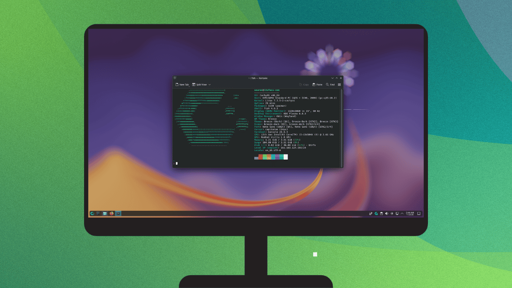
CachyOS is a distro pick that suits both power users and gamers alike. The installer offers 17+ desktop environments to pick from, and gamers get a Handheld Edition for devices like the Steam Deck and ROG Ally.
Based on Arch Linux, it ships its own kernel and package builds for specific CPUs, while the installer comes as a GUI or a command-line version.
CachyOS has now put out its sixth release of the year, and this one changes how the system boots, recovers, and installs software.
The November Release
CachyOS now has a dedicated kernel for games that use Epic’s Easy Anti-Cheat (EAC) Linux v2. EAC checks the boot chain before it lets a game run, and the new linux-cachyos-eac kernel is signed with the CachyOS key.
Don’t worry, it gets a dedicated boot entry, while your regular ones stay untouched, with the eac-setup script handling the bootloader configuration. Because DKMS modules don’t load on this kernel, NVIDIA, ZFS and r8125 come as prebuilt packages for it.
Then there’s cachyos-recovery, a rescue image that lives on the EFI partition and can be launched from the bootloader menu or directly from UEFI without a live USB.
From its menu, you can boot any Btrfs snapshot with a writable root to check it first and roll back once you’re happy with it. The rollback also runs from a desktop notification.
It works without Snapper and supports LUKS-encrypted disks. The package is cachyos-recovery, with a cachyos-recovery-legacy variant specifically for BIOS machines.
Similarly, Package Installer, the software manager, reaches v2.0 with a new UI. It can now handle AUR, Flatpak and AppImage packages, and each one is opt-in.
Before an AUR build runs, you can read the PKGBUILD and install scripts, and a static analysis step highlights what deserves a closer look. Updates come with a diff against the installed version.
CachyOS Settings, the package holding CachyOS’s tuning configs, brings backsystemd-oomd, the out-of-memory killer, and enables it by default. It steps in based on swap usage and skips the user session.
The new cachyos-drm-awaiter helper replaces early KMS and the nvidia-module-loader. Early KMS used to initialize the graphics driver during the boot process, allowing CachyOS to switch to the display’s native resolution much earlier.
Now, the helper holds the login screen back until the graphics driver has loaded, and that applies to any driver rather than only NVIDIA’s. If loading fails, a QR code shows up on screen.
chwd, the hardware detection tool, drops early KMS to match, and existing users need to run sudo sudo chwd -a -f after updating to apply the change.
Calamares (the GUI installer) uses the CLI installer’s gucc library for the initramfs, machine-id, and post-install steps, and the rest is being moved over step by step. The CLI installer itself was refactored onto the same library.
Plymouth, the boot splash, is now optional, and the rEFInd + AI SDK bootloader option is gone. CachyOS can also run on the Windows Subsystem for Linux now through a new image.
And finally, the kernel moves to Linux 7.3.5, with NVIDIA 620.73.04 and Mesa 26.3.1 also being included. The full changelog is available in the release blog post.
Download CachyOS
The Desktop Edition ISOs have been updated to reflect the changes in this new release. If you are looking to try it for the first time, then this is the pick for you.
Existing users can upgrade to this release by running the following command:
sudo pacman -Syu
I was a long time distrohopper before I met CachyOS. It now runs on my laptop, kids PCs and SteamDeck. Everywhere, ok not on Servers.
